LAPTOP CADDY 12.7MM
- AVAILABILITY:
- SKU: 2014
- CATEGORY: LAPTOP ACCESSORIES
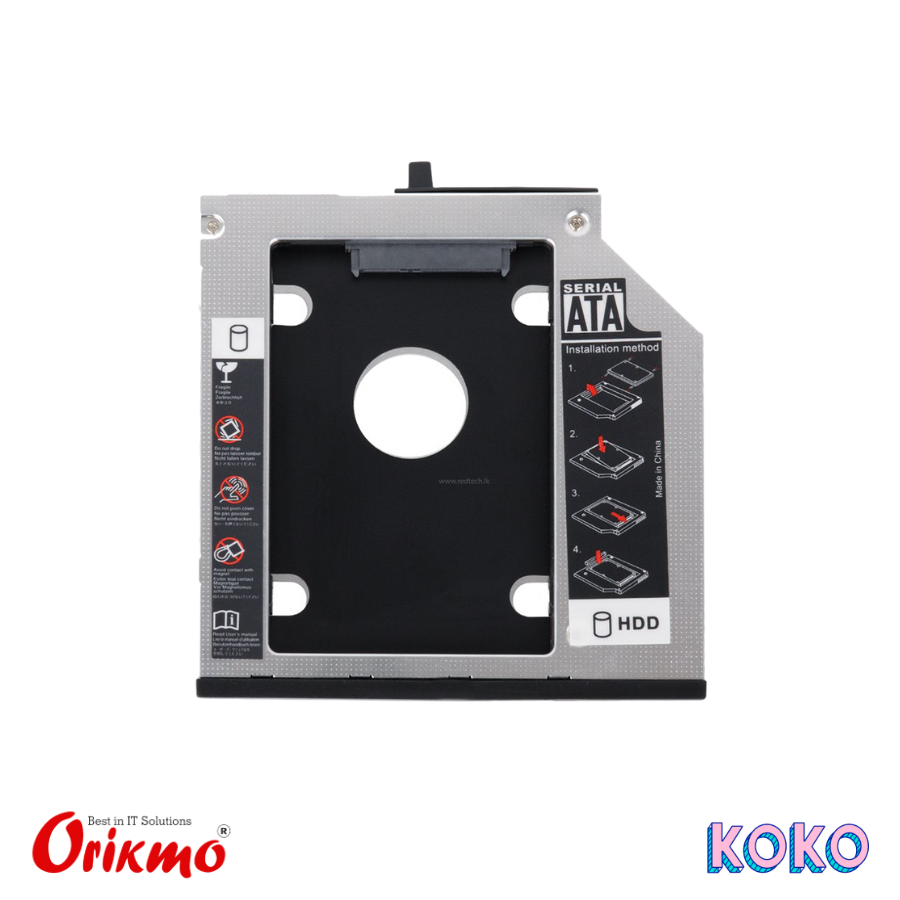
A Laptop Caddy 12.7 mm is a slim adapter tray that lets you install a second hard drive or SSD in place of your laptop’s optical drive (CD/DVD drive). Designed for drives up to 12.7 mm thickness, it provides an easy way to expand storage or add a fast SSD for improved performance, while maintaining a secure fit and proper connection inside the laptop chassis.
6 MONTH WARRANTY
📦 Purpose: Replaces the laptop’s optical (DVD/CD) drive with an extra storage bay.
📏 Thickness: 12.7 mm — fits laptops designed for a 12.7 mm optical drive slot.
🔌 Drive Compatibility: Holds a 2.5″ SATA HDD or SSD — lets you add more storage or a fast SSD.
🪛 Interface: SATA connection — standard for laptop storage devices.
🔄 Dual-Drive Setup: Enables OS on SSD + data on original HDD, maximizing performance and capacity.
🔧 Easy Installation: Slide-in design — installs in place of the optical drive with minimal effort.
🧱 Secure Fit: Includes mounting bracket and screws (usually) to secure the drive inside the caddy.
🏠 Wide Compatibility: Works with most laptops originally equipped with a 12.7 mm optical drive.
| Product Name | Laptop Caddy 12.7 mm |
| Purpose | Replaces laptop optical drive with a secondary HDD/SSD |
| Compatible Drive Size | 2.5″ SATA HDD / SSD (up to 12.7 mm thickness) |
| Drive Interface Supported | SATA I / II / III (3-Gb/s & 6-Gb/s) |
| Caddy Thickness | 12.7 mm (fits in place of standard slim optical drives) |
| Front Bezel Style | Often includes black / silver bezel; some are removable/trim for matching laptop look |
| Material | Metal & plastic (solid frame for drive mounting) |
| SATA Connector | Internal SATA (connects to laptop optical bay interface) |
| Mounting Screws | Included standard 2.5″ drive screws |
| Optical Drive Adapter Cable | Often includes SATA to SATA or special optical bay adapter (varies by laptop) |
| Weight | Light — typically ~80–120 g |
| Use Case | Add extra storage (HDD/SSD), dual-drive setup for OS + data, improved performance |
| Installation | Plug-and-play — slide into optical bay, secure, then mount drive |